An interactive 3D map built from model_s_partsGuide-NA-2012-2016.pdf (394 pages, 2018-02-15 edition). It places the catalog's system → subsystem → group → part structure where each part actually sits on the car.
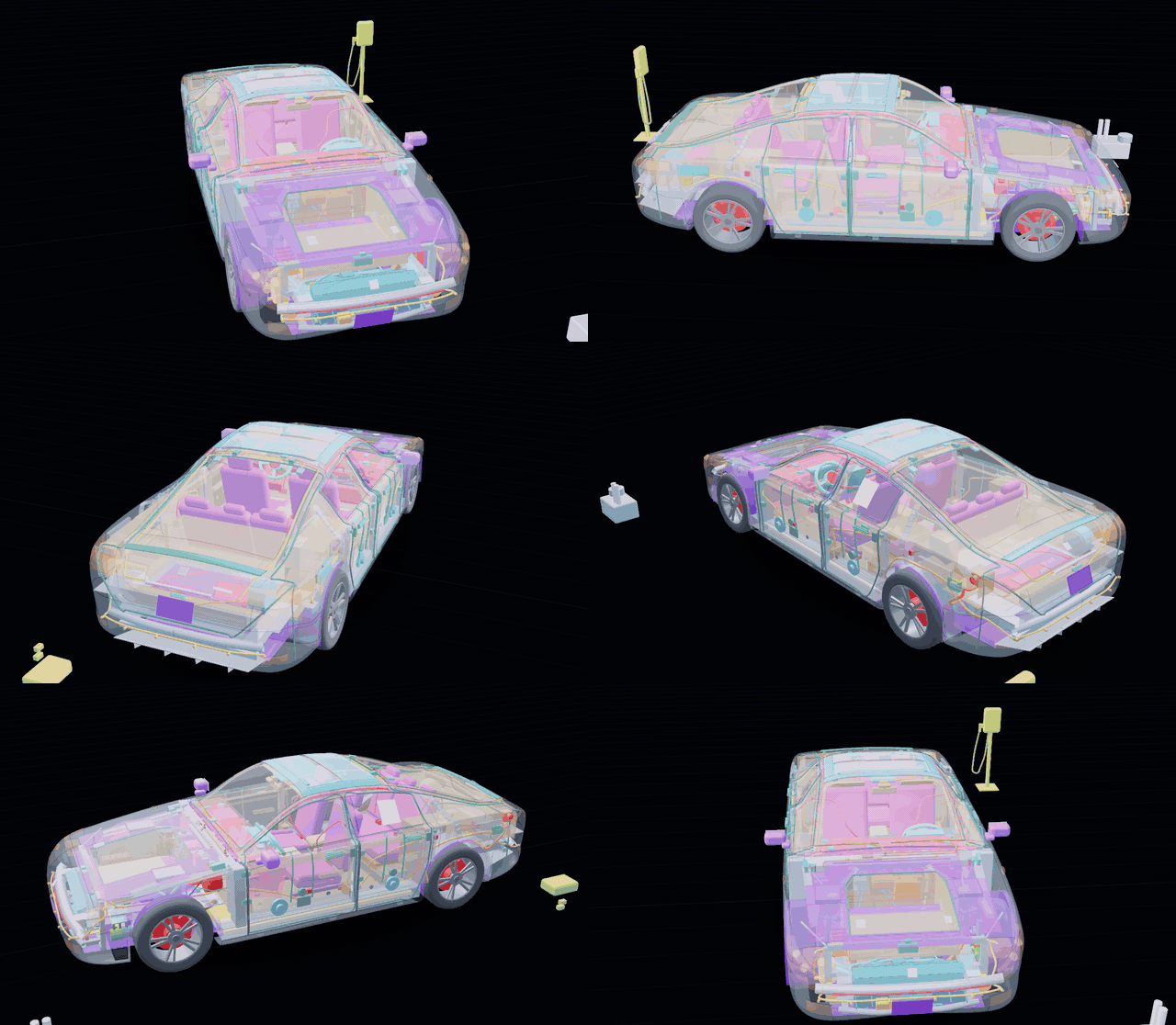
- 23 systems · 213 groups (exploded views) · 4,770 part rows (3,693 unique part numbers)
- 370 3D locations (components). All 213 groups are placed in at least one location.
- Zoom, rotate and pan; on hover or click the target stays solid and everything else turns translucent
- The info panel shows the clicked part's catalog data: group, part number, quantity, remarks, source page and exploded view
- Parts that are fastened together really touch, and 602 fastening points are checked automatically (bolts, bushings, ball joints, brackets, and the ends of lines and harnesses). A part listed in several groups (e.g. the steering I-shaft lower link, the 4-way coolant valve) is drawn once, so every group that lists it points at the same part.
The app's interface and the translated group names are in Korean; part names, descriptions and remarks are the catalog's original English.
Why: DIY maintenance on my own car
This is a personal tool for doing my own (DIY) maintenance on my 2015 Model S.
Finding a part used to mean guessing the system and group in a 394-page PDF, paging through it, and matching the callout numbers in the exploded view to the rows of the table one by one. In this map you click an area of the car and immediately get the catalog groups that belong there, with the exploded view, part numbers, quantities and remarks. The other way round, searching by part number or part name shows where that part sits on the car.
I use it to:
- check part numbers before replacing consumables: wiper blades, cabin air filter, brake pads, 12 V battery
- tell left/right and front/rear parts apart: door glass, headlamps and suspension arms come in LH/RH and FR/RR part numbers
- see what is behind a trim panel before removing it: the regulator, speaker and latch inside a door trim, the HVAC unit behind the dash
- pick the groups that match my car: variant groups such as RWD / dual motor and air / coil suspension
Warning High-voltage parts (orange HV cables, the battery pack, the high-voltage junction box (HVJB), chargers, the DC-DC converter) and the airbags (SRS) are not DIY items. This map is a reference for locations and part numbers; it does not replace repair procedures. Check the official service information and the catalog's source page before any work.
This is a personal project, not affiliated with Tesla. Tesla and Model S are trademarks of Tesla, Inc.
Screens
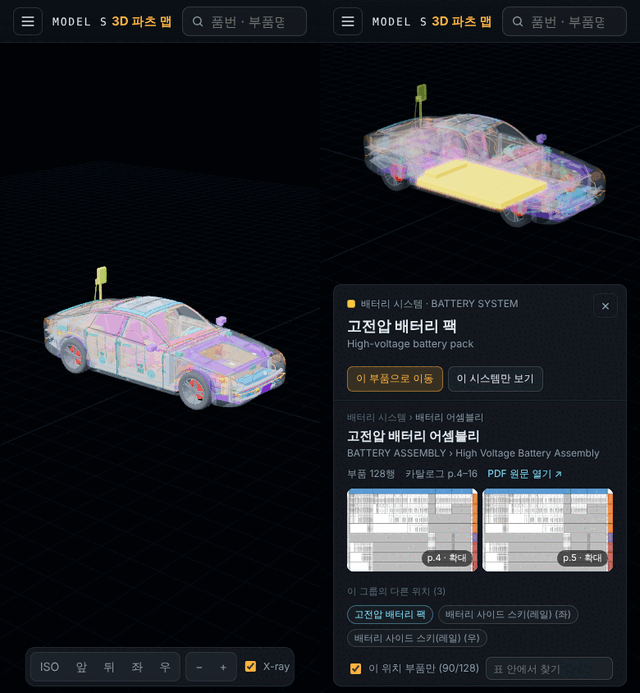
On the left is the catalog system tree (show/hide, group selection), in the middle the 3D view, and at the bottom the view, zoom, X-ray and explode tools.
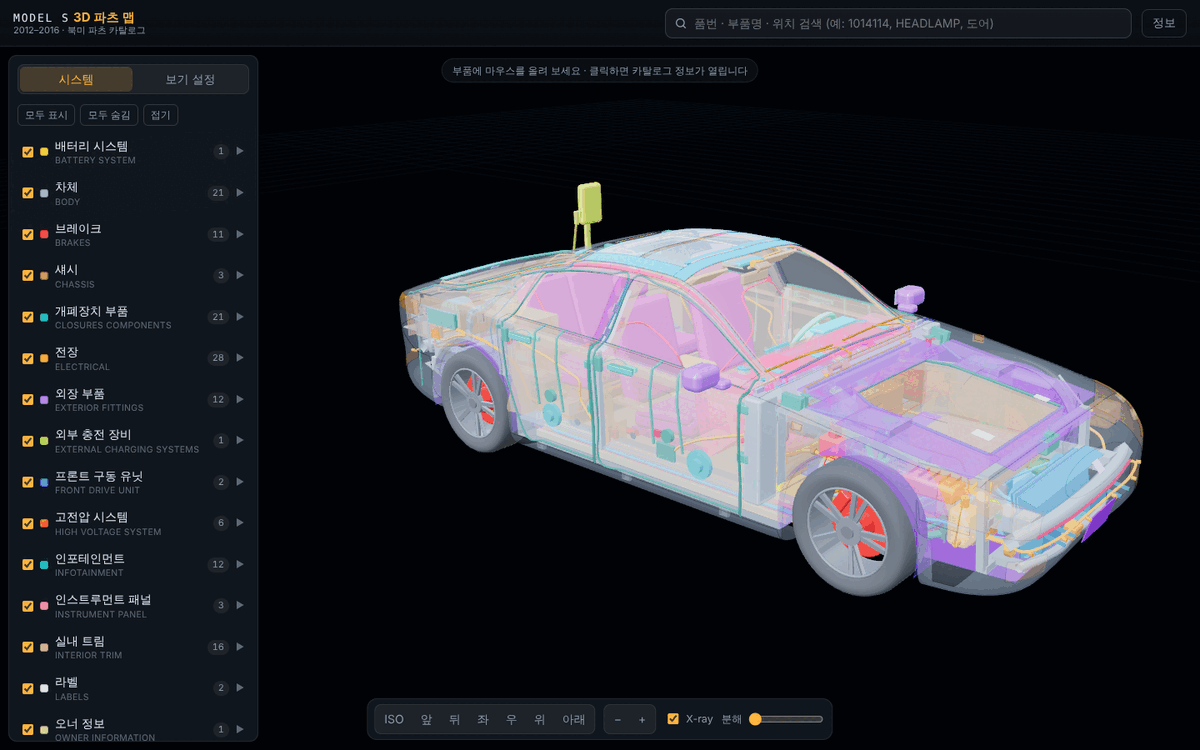
Hover and click highlighting
Hovering a part makes it solid and everything else translucent. A click pins the selection and opens the catalog data on the right; picking a row in the table outlines every location that uses that part in orange.
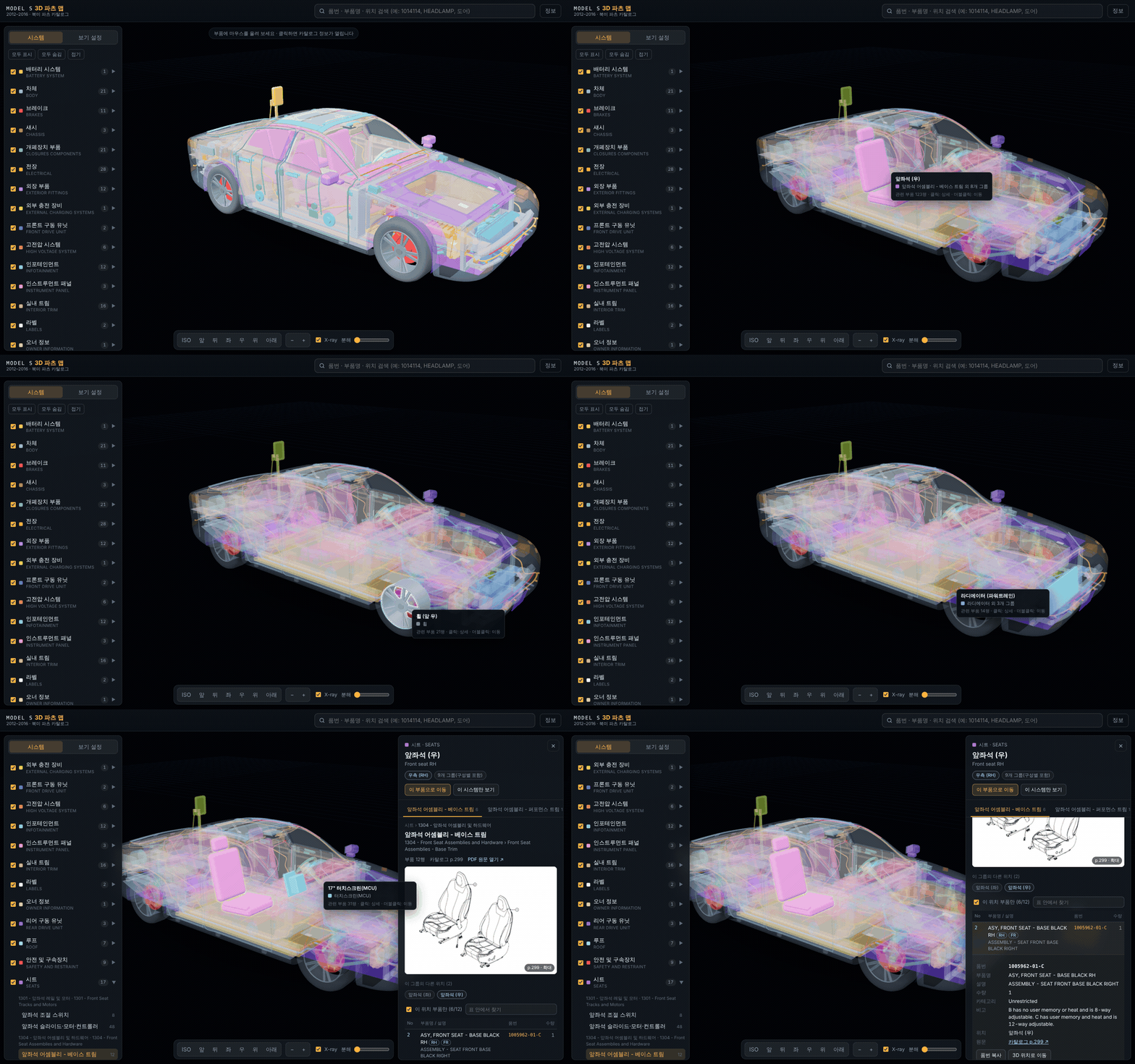
Info panel
Shows the exploded view (click to enlarge), links to the catalog page and the source PDF, and the parts table. When a group is used in several locations, only the rows for the clicked location are shown.
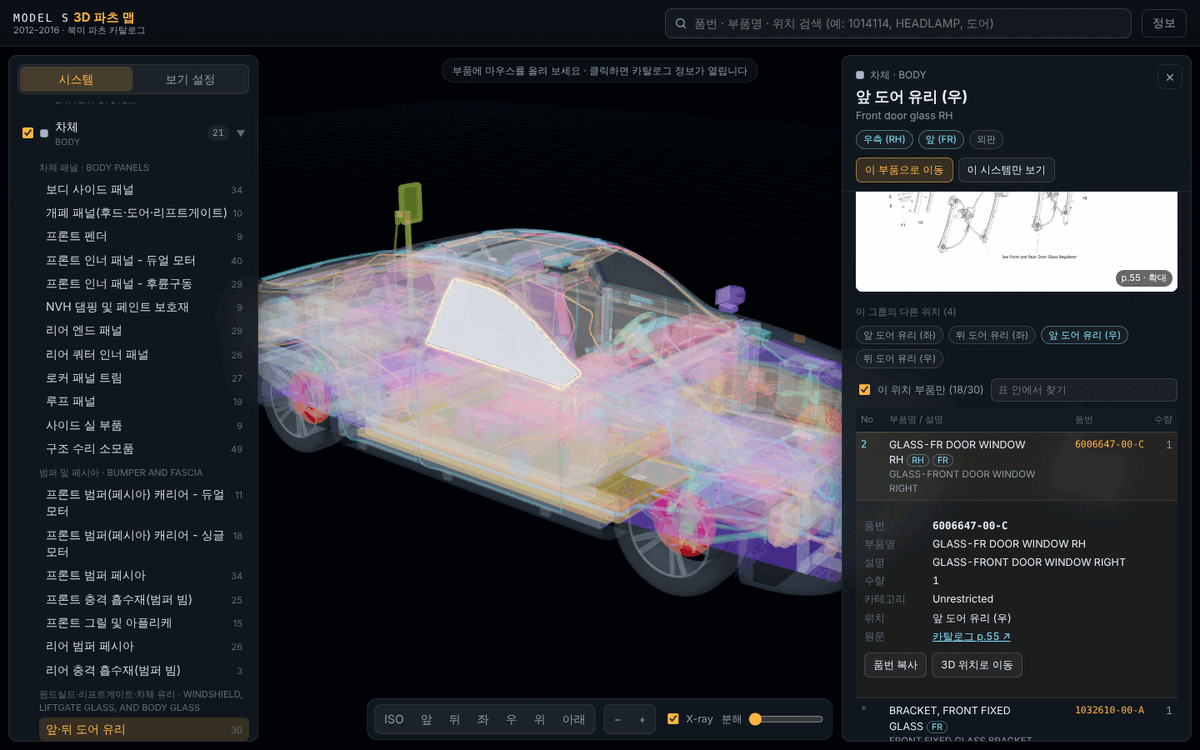
Part number search
Search by part number (hyphens ignored), part name, group name or location name. Clicking a result flies the camera to that location.
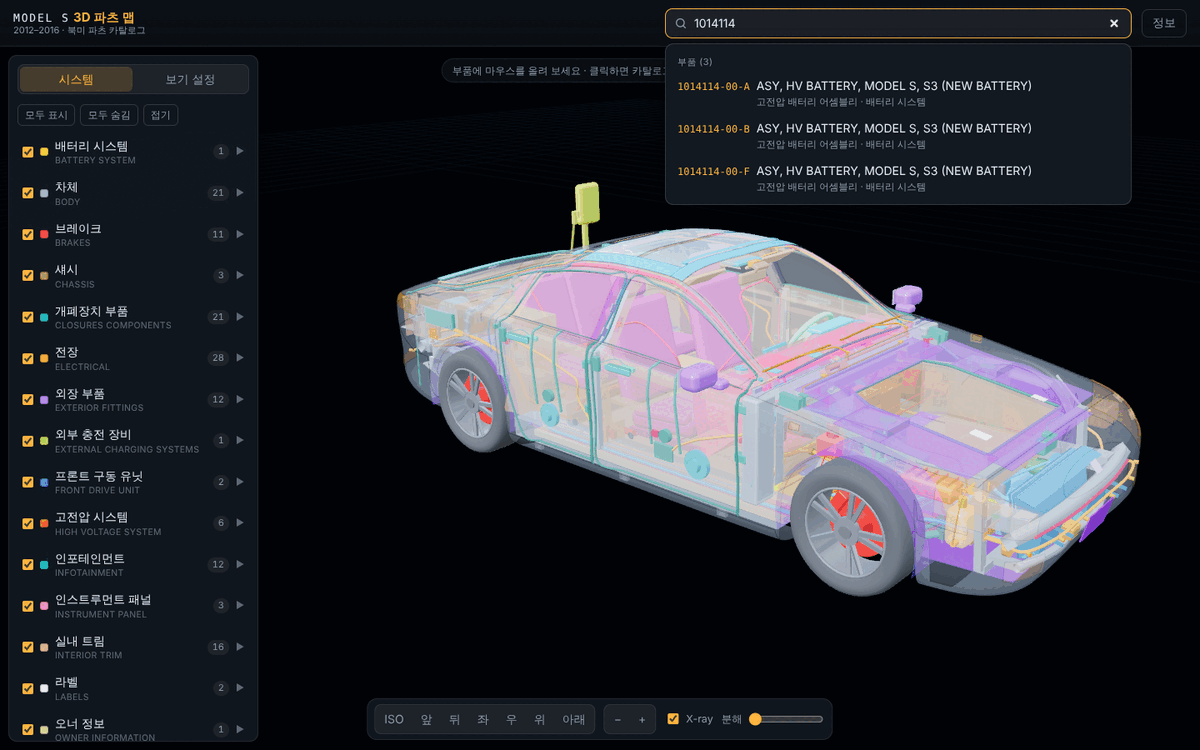
Exploded view
A slider moves the parts outwards to show what lies inside.
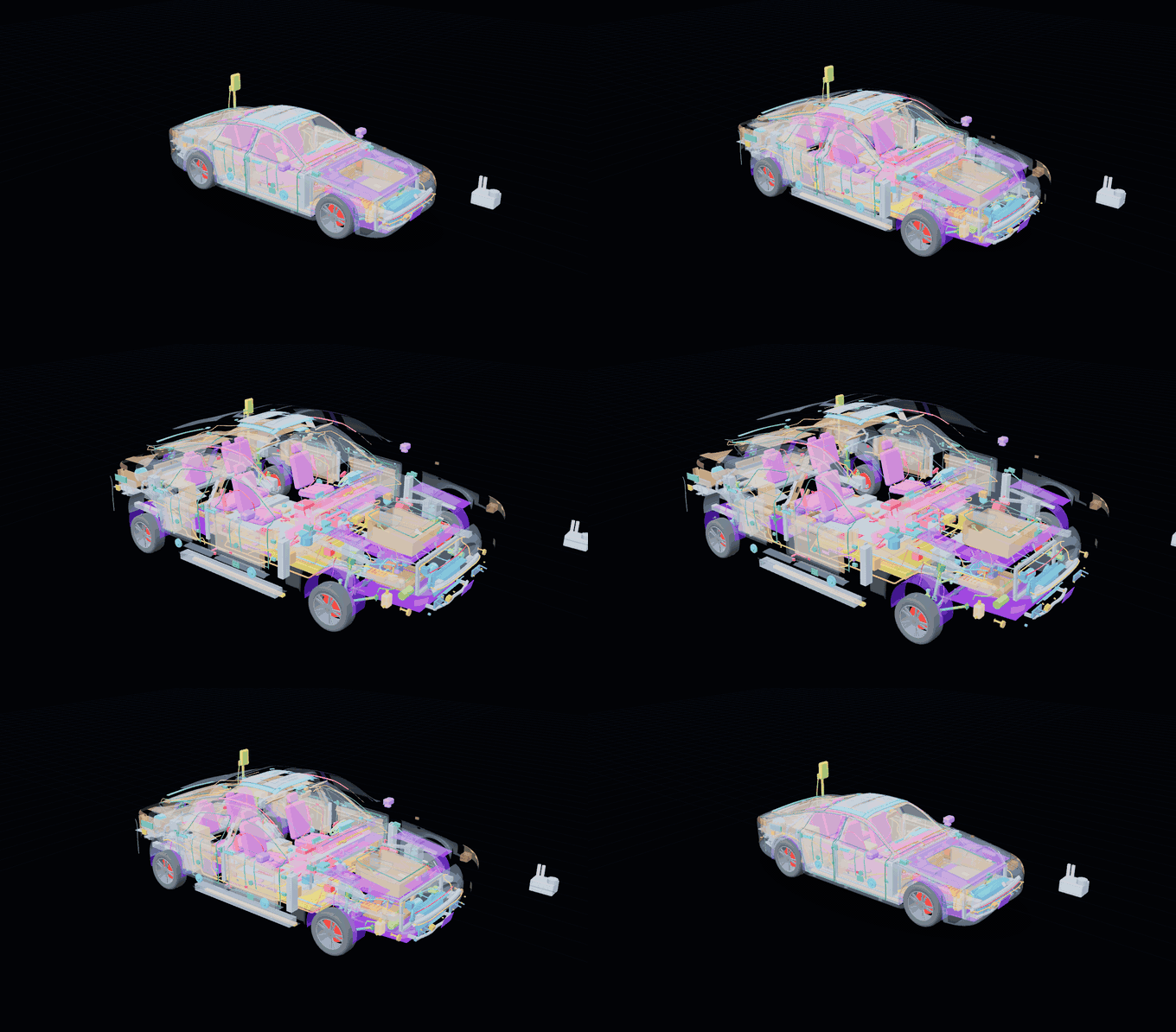
Showing only some systems, with their mounting parts
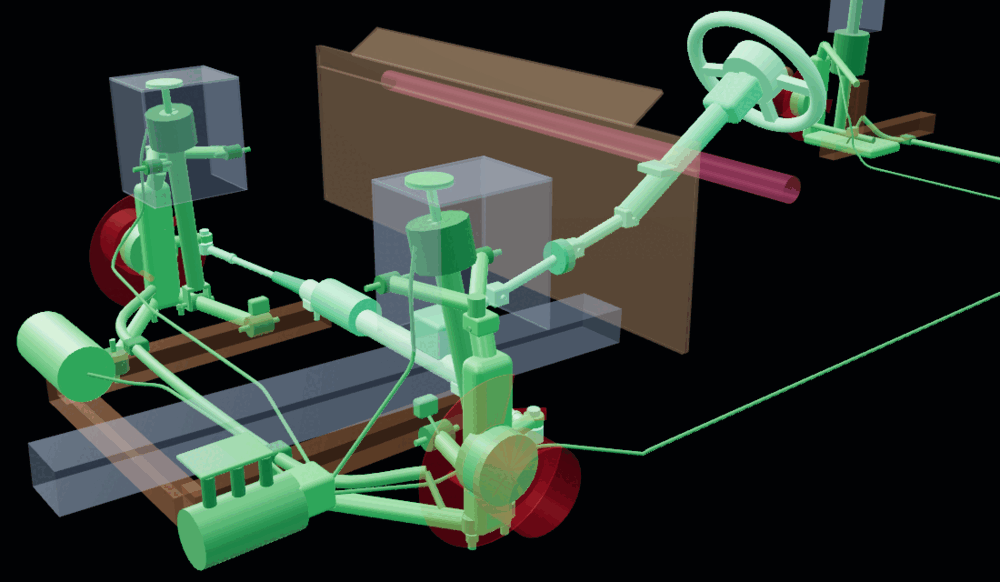
When you narrow the view to some systems (untick systems in the tree, or "이 시스템만 보기" — show this system only — in the info panel), the parts of other systems that the visible parts are fastened to are drawn faintly: only the section they bolt to, such as a subframe rail or a shock tower. For example, with only steering and suspension shown, the subframe rails, shock towers and dash insulation appear faintly, so you can see where the arms and the column are fastened. Faint parts cannot be clicked, and the option can be turned off in the view settings.
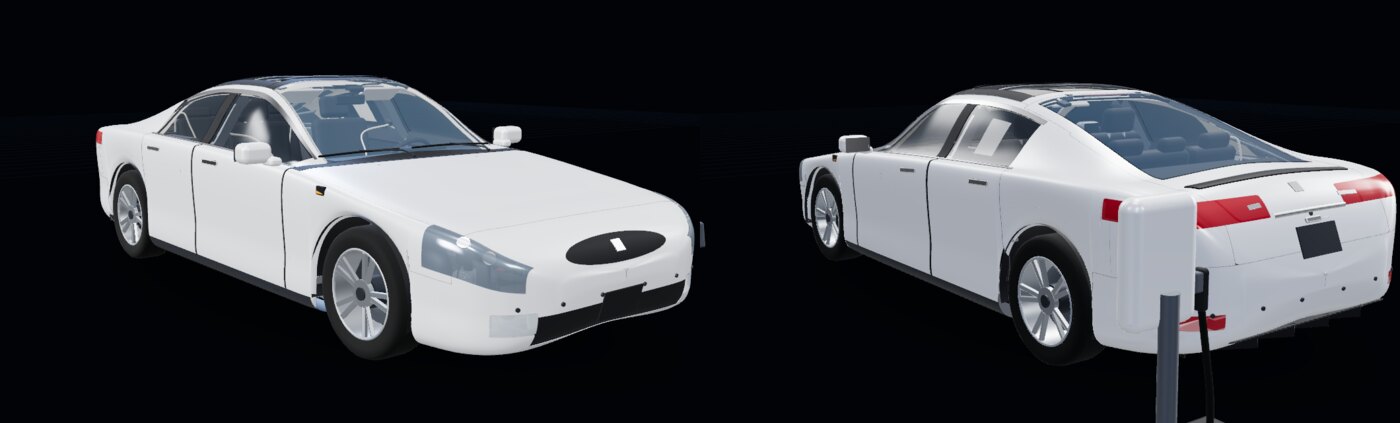
Realistic materials and mobile
The view settings can switch from per-system colours to realistic materials. On a phone the info panel opens as a bottom sheet.
Running
Only static files are needed (no build step; three.js is included in vendor/, so it works offline). The app uses ES modules and fetch, so open it through a local web server rather than file://.
python3 -m http.server 8000
# then open http://localhost:8000/ in a browser
It also works as is on GitHub Pages (deployed from the branch root).
Usage
| Action | Result |
|---|
| Drag / right-drag / wheel | Rotate / pan / zoom towards the cursor (touch: one finger rotates, two fingers pan and pinch) |
| Hover | Highlights the part, with a tooltip (location name, catalog group, number of related parts) |
| Click | Pins the selection and opens the info panel on the right. Click empty space or press Esc to clear |
| Double-click | Flies the camera to that part |
| Tree (left) | Show/hide per system; clicking a group highlights every location that uses it |
Search (/) | Part number (hyphens ignored), part name, group name, location name → click a result to fly there |
| Info panel | Group tabs, exploded view (click to enlarge), link to the source PDF page, parts table. Clicking a row outlines the 3D locations that use that part in orange |
| View settings | X-ray (transparent outer panels), per-system colours / realistic materials, exploded view, faint mounting parts of hidden systems, vehicle configuration (RWD · dual motor · performance dual motor, air / coil suspension, vacuum booster / iBooster) |
The selection is kept in the URL hash (#c.<location id> or #g.<group id>), so it can be shared as a link, e.g. #g.front-and-rear-door-glass, #c.hv-battery.
Per-location part filter
When a group is used in several locations (e.g. "front and rear door glass" → 4 locations), the LH/RH/LEFT/RIGHT and FR/RR/FRONT/REAR markers in part names and per-location keyword rules show only the rows that belong to the clicked location (untick "이 위치 부품만" — this location only — to show all rows). Generic parts such as bolts and clips that do not name a location are treated as belonging to every location of their group.
Structure
index.html                 app entry point (import map → vendor/three)
src/main.js                load data → build the scene → start the UI
src/catalog.js             catalog index, location ↔ part matching, search
src/ui/app.js              tree, search, info panel, tooltip, settings
src/scene/viewer.js        renderer, picking, highlight / translucency, X-ray, explode, camera, mounting-part ghosts
src/scene/profile.js       vehicle dimensions and side / plan profile curves
src/scene/body.js          parametric body surface (loft), split into panels by (s, v) coordinates
src/scene/parts/*.js       3D components per system and their catalog groups
src/scene/joints.js        fastening points (parts A and B, catalog callout), allowed overlaps; used by the check and the viewer
data/catalog.json          catalog data extracted from the PDF
data/illustrations/*.webp  exploded view per group
docs/images/               README screenshots and GIFs
tools/build_catalog.py     PDF → catalog.json + exploded views
tools/check.mjs            consistency and connection check (group placement, fastening points, shared parts, pass-through, clashes, floating parts)
tools/measure.mjs          geometry measurement for the check (surface distance, inside tests, centre lines, penetration depth)
Each 3D component is defined in src/scene/parts/ like this:
reg.add({
  id: 'door-glass-LF', ko: '앞 도어 유리 (좌)', en: 'Front door glass LH',
  groups: ['front-and-rear-door-glass'],   // linked catalog groups (the first one sets the colour)
  tags: 'LF',                              // location: L/R (side), F/B (front/rear)
  match: /GLASS/,                          // (optional) rule for the part rows that belong to this location
  object: region([...], { mat: 'tintedGlass' }),
});
Rebuilding the data / checking
pip install pdfplumber pypdf pillow
python3 tools/build_catalog.py      # refreshes data/catalog.json and data/illustrations/ (about 1.5 min)
node tools/check.mjs                # Node 18.19+ / 20.6+, about 5 min (--only=basic,joints,shared,pass,clash,float)
check.mjs checks each of the 12 vehicle configurations (3 drive × 2 suspension × 2 brake booster):
- Fastening points: every pair of parts in
src/scene/joints.js touches (gap ≤ 2 mm). Each row cites the catalog callout or part number it is based on. A part mounted on a hollow placeholder (a shock tower, the dash panel) must reach its shell. Gaps are measured exactly (not rounded), and an open tube ends at its end ring. - Shared parts: when the same non-fastener part number (bolts, nuts and the like excluded) appears in two groups, it must resolve to the same 3D location in both, or to locations that touch. Part numbers that really are used in different places (e.g. the same handle on front and rear doors) are listed as exceptions with a reason.
- Pass-through: beams, bars, lines and harnesses do not run more than 10 mm through another part's solid, nor cross another part's surface (panels, trims, the body skin). Two fastened parts may overlap only where they are fastened: near the end of a line that plugs in, or for a short length between the named parts of a joint.
- Clashes: no part sits more than 10 mm deep inside another part's solid. Fastened parts may overlap up to 40 mm deep, but only locally (under 40 × 40 mm and 1,600 mm²); a part really set into another (an air outlet in the instrument panel, a latch inside the door) needs an
inset reason on its joint row. Remaining simplifications (for example a brake disc running in the slot of a caliper drawn as a solid block) are listed with their reason in src/scene/joints.js. - Floating parts: every piece of every component touches another part in each configuration where it is shown. A piece is a set of the component's meshes (merged plates split into their islands) that touch each other within 2 mm. A joint row proves contact only for the piece that really reaches its partner; all other pieces are measured. Only off-vehicle items (repair consumables, the wall connector) are exempt.
In the source PDF the same part row repeats for every model-year column, so identical rows within a group are merged. A * in the No column means "not shown in the illustration", and a quantity of ** means "as required" (catalog legend).
Limitations
- The 3D geometry is not CAD data. It is an approximate model generated in code from published dimensions (length 4,970 · width 1,964 · height 1,445 · wheelbase 2,960 mm). Part positions are approximations based on the catalog's exploded views and the general Model S layout.
- Before servicing or ordering, always check the page itself through the "PDF 원문 열기" (open source PDF) link in the info panel.
- The Korean group names are translations; part names, descriptions and remarks are the catalog's original English.
- Routes of lines and harnesses and the positions of some modules are approximate, chosen so that they do not overlap.